Blackburn Studio Tools
Prepare website images without the repetitive work
Web Image Resizer is a free tool for resizing, cropping and watermarking images for websites and online stores. Process single images or batches, apply consistent sizing, filenames and metadata, and download completed files individually or as a ZIP. Image processing happens locally in your browser, or you can download the Windows application for a dedicated desktop workflow.
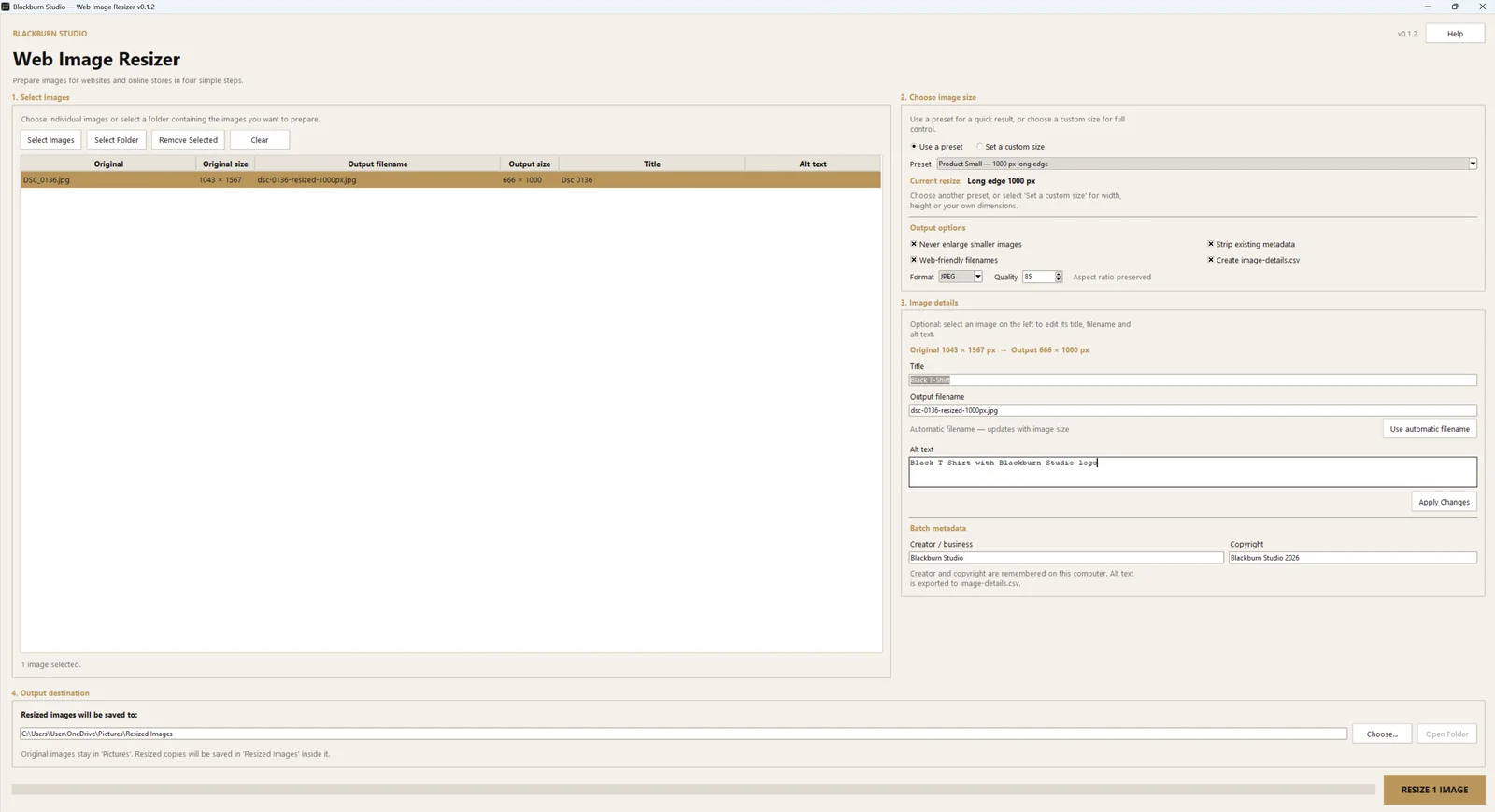
Built for everyday image preparation
Process a set of source images once and create consistent output ready for content management systems, product catalogues and general website use.
- Resize a complete folder of images in one batch
- Use practical website and ecommerce size presets
- Set custom width, height and fit options
- Export JPEG, WebP and PNG files
- Prepare clean, web-friendly filenames
- Retain or remove supported image metadata
Download and release information
Latest release
Download Web Image Resizer
Checking the latest release…
Release history
Loading release history…
Installation
Getting started on Windows
Step 1
Download
Choose the installer for the standard setup, or the portable file if you do not want to install the app.
Step 2
Open
Run the downloaded file. If Windows displays a SmartScreen message for an unsigned release, review the publisher information before continuing.
Step 3
Process locally
Select your source images, choose the output settings and resize them directly on your computer.
Privacy
Your images stay on your computer
Web Image Resizer performs image processing locally. Your source images and resized files are not uploaded to Blackburn Studio or a third-party image service.